
| Budget Workbook Help | Index |
|
Reports |
The bottom section of the main window is used to display report information. To view report information click the Reports tab. There are three types of report; click the tab to view each report.
For each report you can set the date range of the transactions used in the report. Select a predefined date range from the popup menu or enter any date in the From and To fields. The total number of transactions and the number used are displayed. To print any report, click the Print Report button.
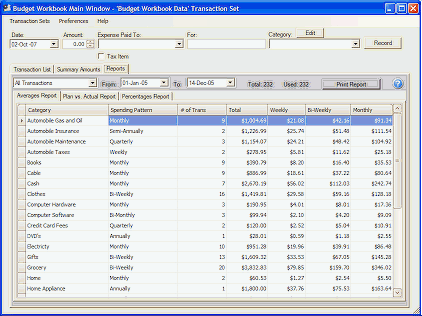
The "Averages" report shows how often you are spending money in each category and the average amount spent weekly, bi-weekly, and monthly.
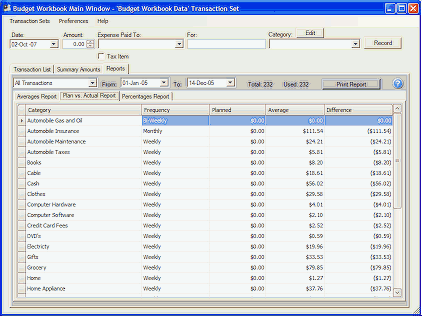
The "Plan Vs. Actual" report shows how well you are doing in keeping within your spending guidelines. For each category you can set how much you plan to spend for any period. Use the popup menu to set the Expense Frequency and then enter an amount in the Planned column for how much you want to spend for that period. The Averages column shows you the average spent during that period, and the Difference column shows how much your spending was over (negative) or under (positve) your planned goal.
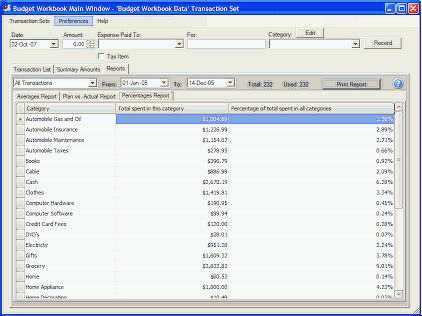
The "Percentages" report shows the total amount spent in that category and the percentage of the total amount spent across all categories.