
| Budget Workbook Help | Index |
|
Preferences |
To set your preferences use Edit > Preferences....
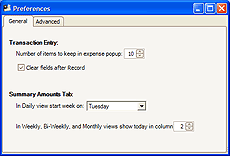
You can change the number of recent Expense Paid To items kept in the popup menu on the main window; the default is 10.
Check the Clear fields after Record box if you want the transaction entry fields cleared when you click the Record button on the main window. If this box is not checked the information will remain so you can easily add more items with similar information.
The Summary Amounts tab daily view defaults to starting on Sunday, but you can set any starting day you want from the popup menu.
You can also set which column of the Summary Amounts tab other views includes today's date. This option does not apply to the Daily setting of the Summary Amounts report.
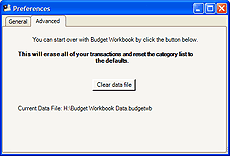
If you would like to start over with Budget Workbook, click the Clear data file button. This will erase all of your transactions and reset the category list to the defaults.